Link Up
Role
User Researcher, UX/UI Designer
Responsibilities
Creating research studies, conducting interviews, wire-framing, low and high-fidelity prototyping, usability studies, accounting for accessibility, and iterating on designs.
Duration
July 2023 - September 2023
IDENTIFYING THE PROBLEM
Research Goals
The first thing I wanted to do was understand people’s experiences during the process of finding out about an event they may be interested in. I set up some research goals to guide me through this stage:
Identify the methods users use to find events to attend.
Understand the experiences and emotions users have when using these methods.
Recognize what problems or obstacles users encounter.
Understand what motivates or influences a user to want to attend an event.
User Survey
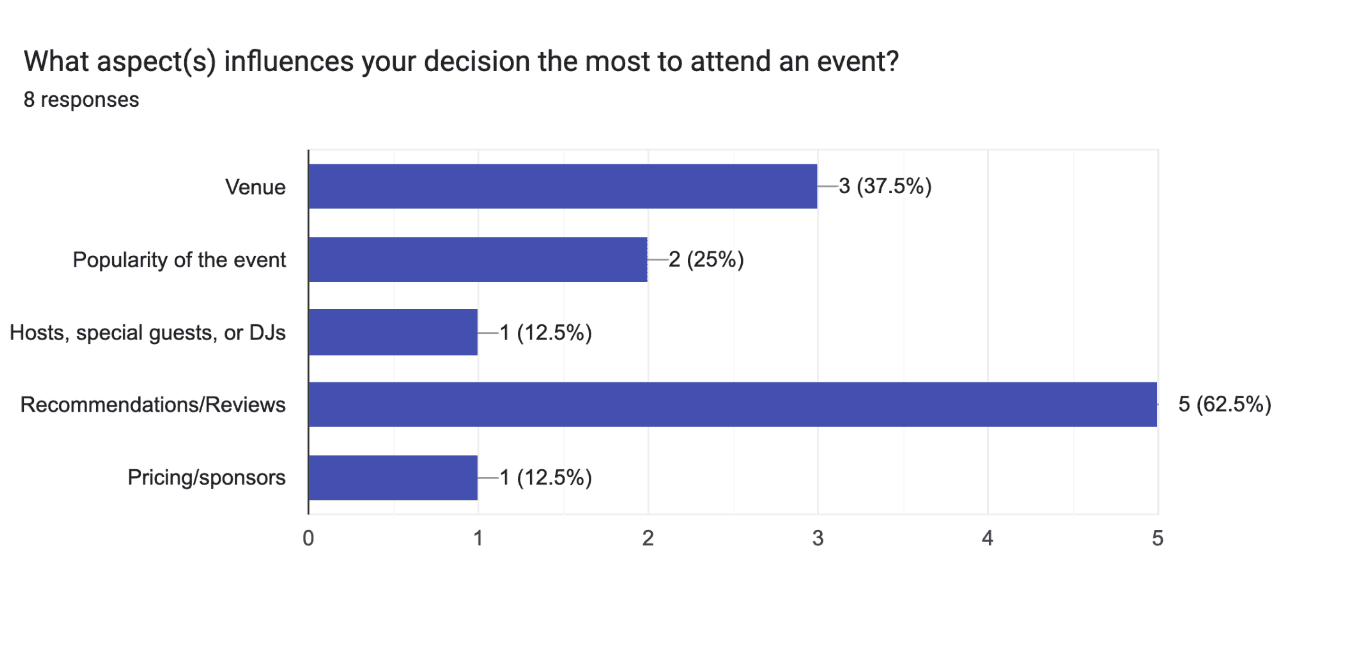
With my research goals in mind. I created a survey to gather some qualitative and quantitative data on the process users go through when searching for and ultimately attending a local event. The survey was distributed through my social media account. 8 participants responded.
Affinity Mapping
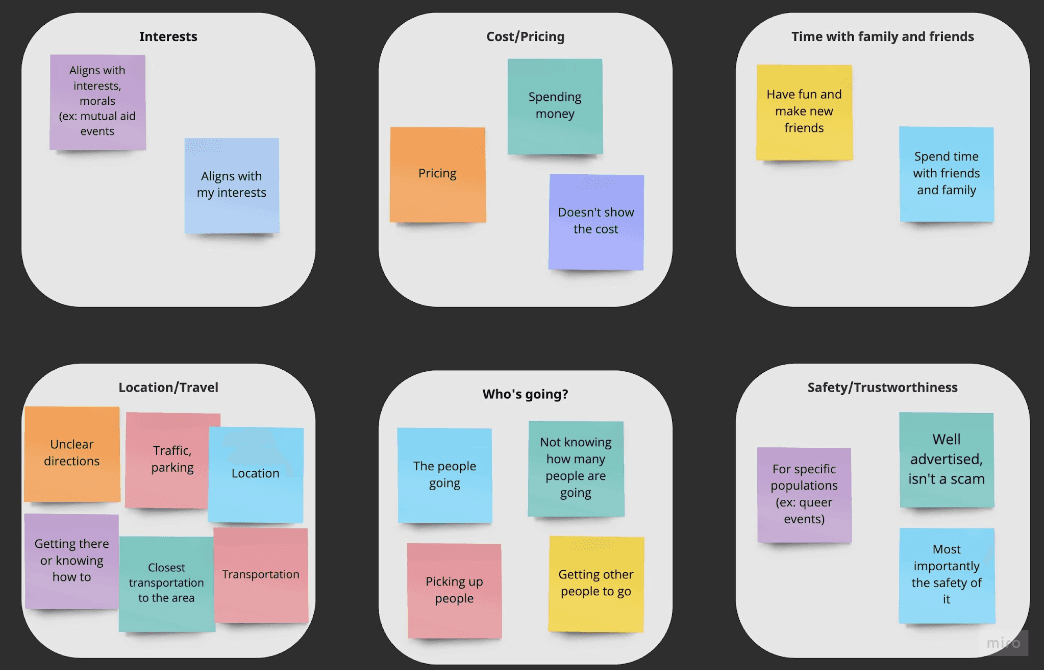
I created an affinity diagram to organize my data and group observations into different themes.
Insights Discovered
The results from the survey uncovered interesting issues and concerns people have when looking into events:
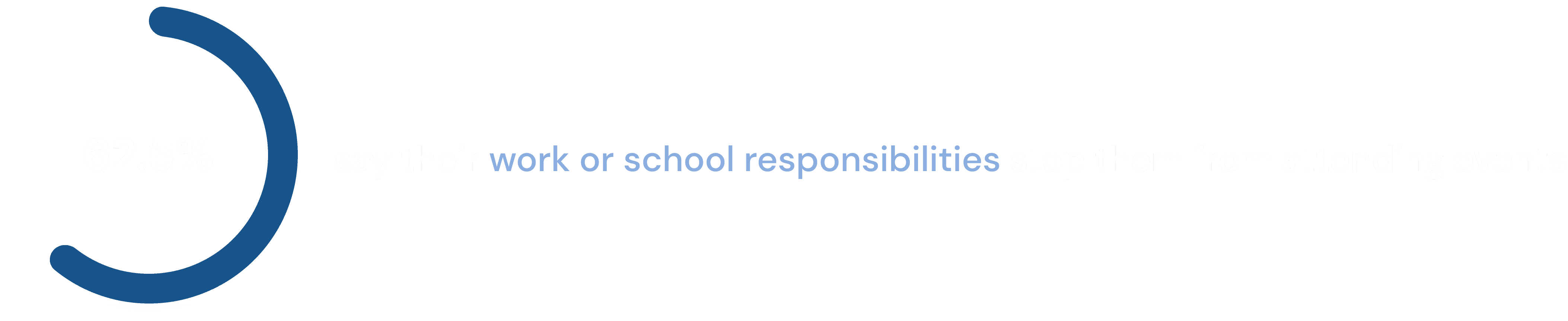
Despite conflicting work or school schedules, users would like to attend local events more often
Users would like to have more information about an event when deciding whether to attend or not
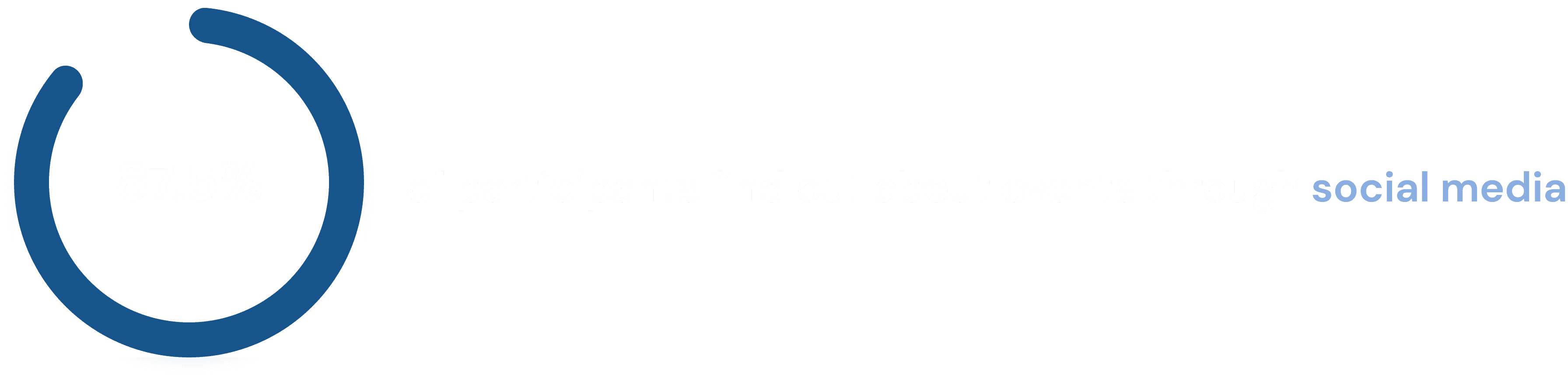
The majority of users learn about events through social media, though are not satisfied with the way their options are presented to them.
Most users rely on recommendations or reviews when deciding to attend an event.
Users struggle with getting proper directions for getting to an event.
Some have trouble knowing if a certain event is safe space for them and their demographic.
"So many options or not enough. Wish it could be consolidated."
— User Response
GETTING TO KNOW THE USERS
User Personas
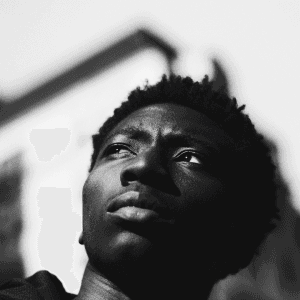
Marcus
Age:
26
Education:
Bachelor's Degree
Location:
Queens, NY
Family:
Single, Lives alone
Occupation:
Marketing
“I like my new job but I still want to make the most of my free time”
Goals
Keep a healthy work and social life balance
Continue to hangout with his friends
Attend events on his days off or during his free time.
Frustrations
“It's tough keeping track of events that align with my schedule”
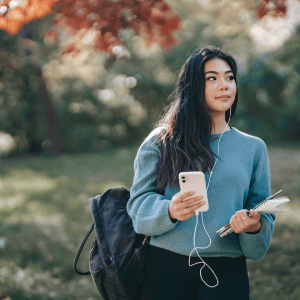
Jordan
Age:
19
Education:
University Student
Location:
Chicago, Illinois
Family:
Lives with roommates
Occupation:
Student
“I want to know where I’m going and how to get there ahead of time so I can plan ahead ”
Goals
Know the most efficient or multiple methods of transportation based on my location
Arrive early or on time to the event
Meetup with her friends
Frustrations
“I don’t know which train to take to get there”
Getting on the wrong mode of transportation
Being late to the event
User Journey - Marcus
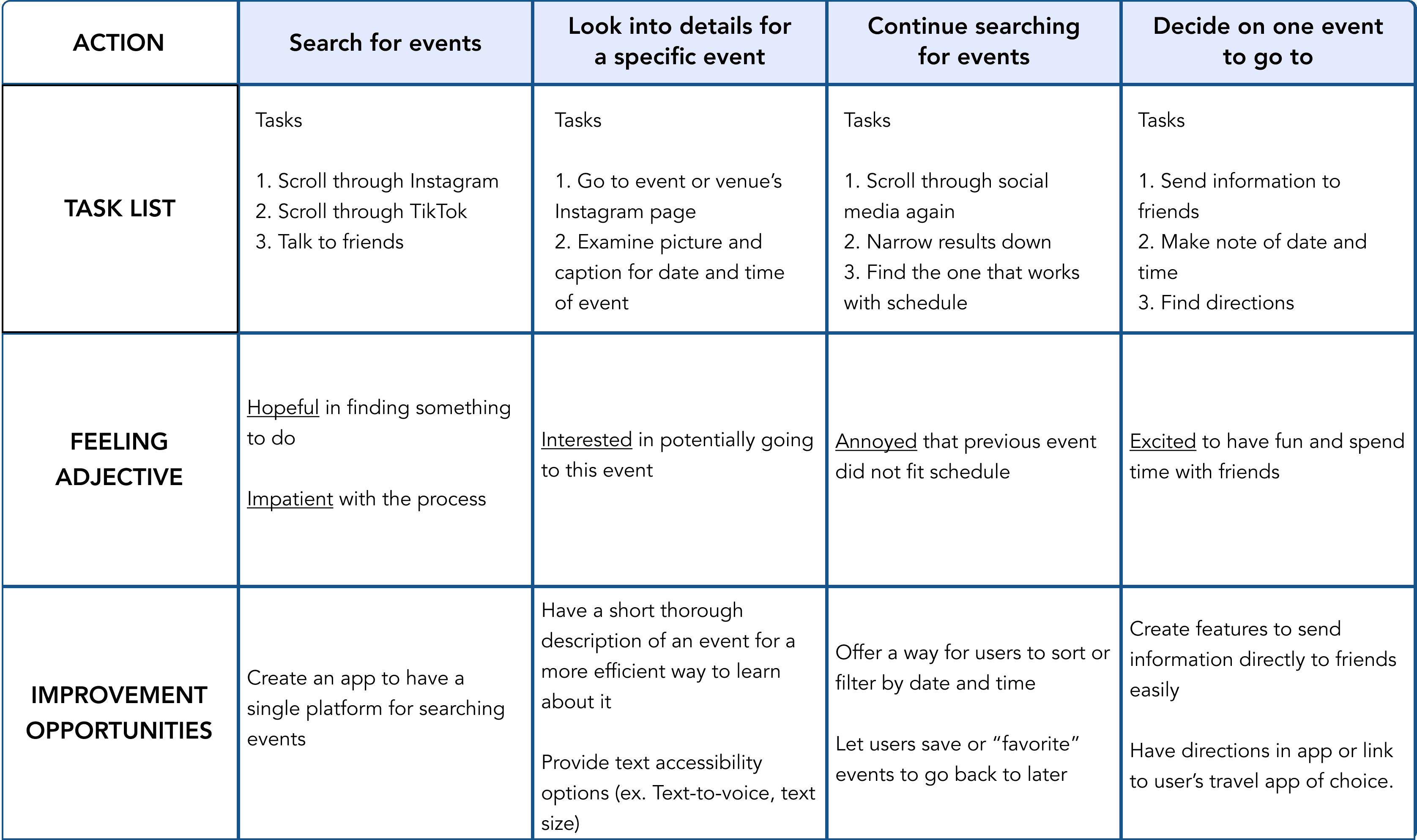
Identifying Pain Points
1
Time
Users want to find a way to fit event going into their busy work or school schedule.
2
Who's Going?
Users want to know who or how many people are going to an event and the overall popularity of one.
3
Safety
Users are worried about the safety of an event, specifically for their identity or demographic.
4
Directions
Although users may be interested in attending an event, they become frustrated when they don’t know how to get there.
PUTTING IDEAS TO PAPER
Storyboarding
I drew up big picture and close up storyboards to gain a better perspective on the scenarios and ways that a user might use this app.
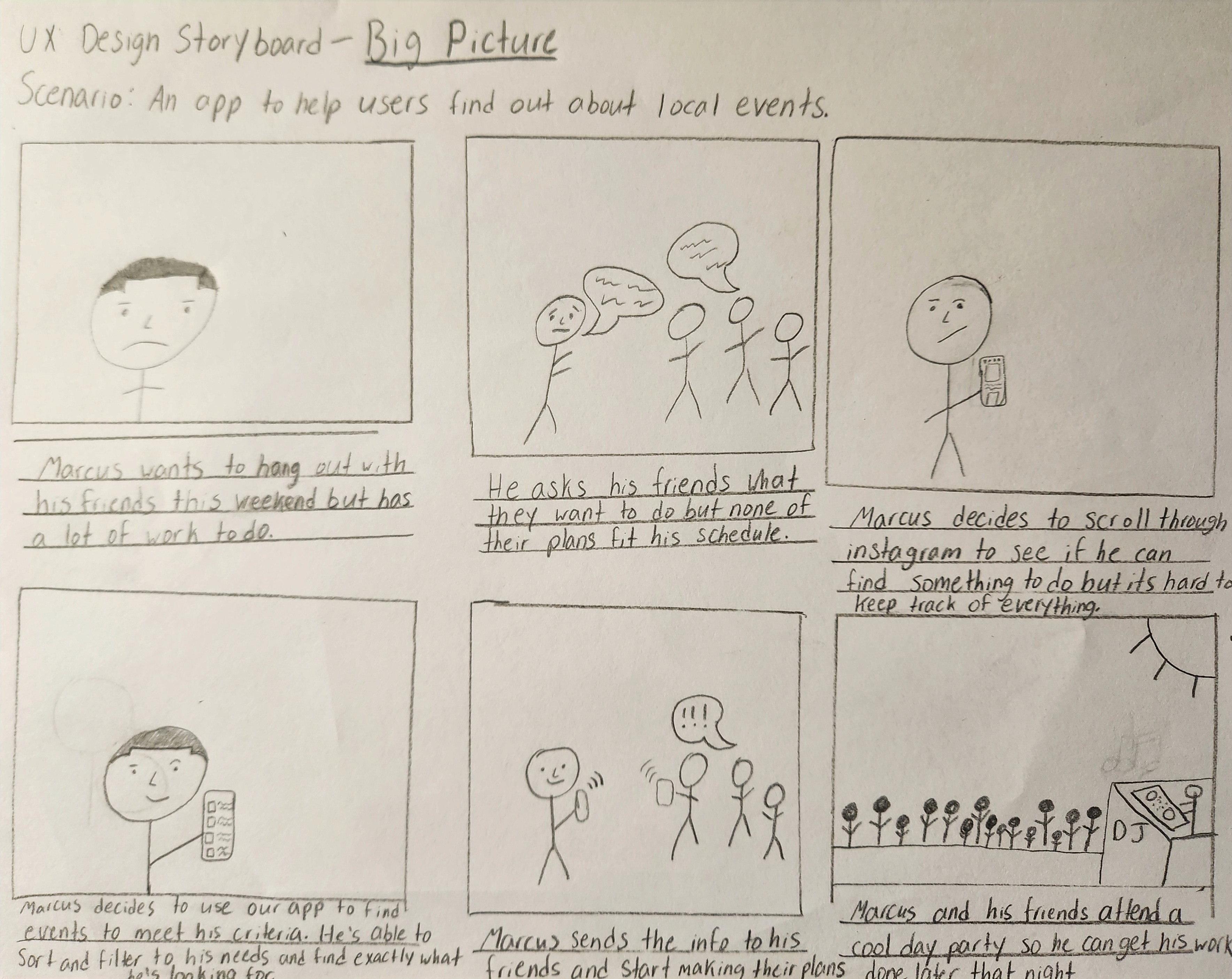
Big Picture Storyboard
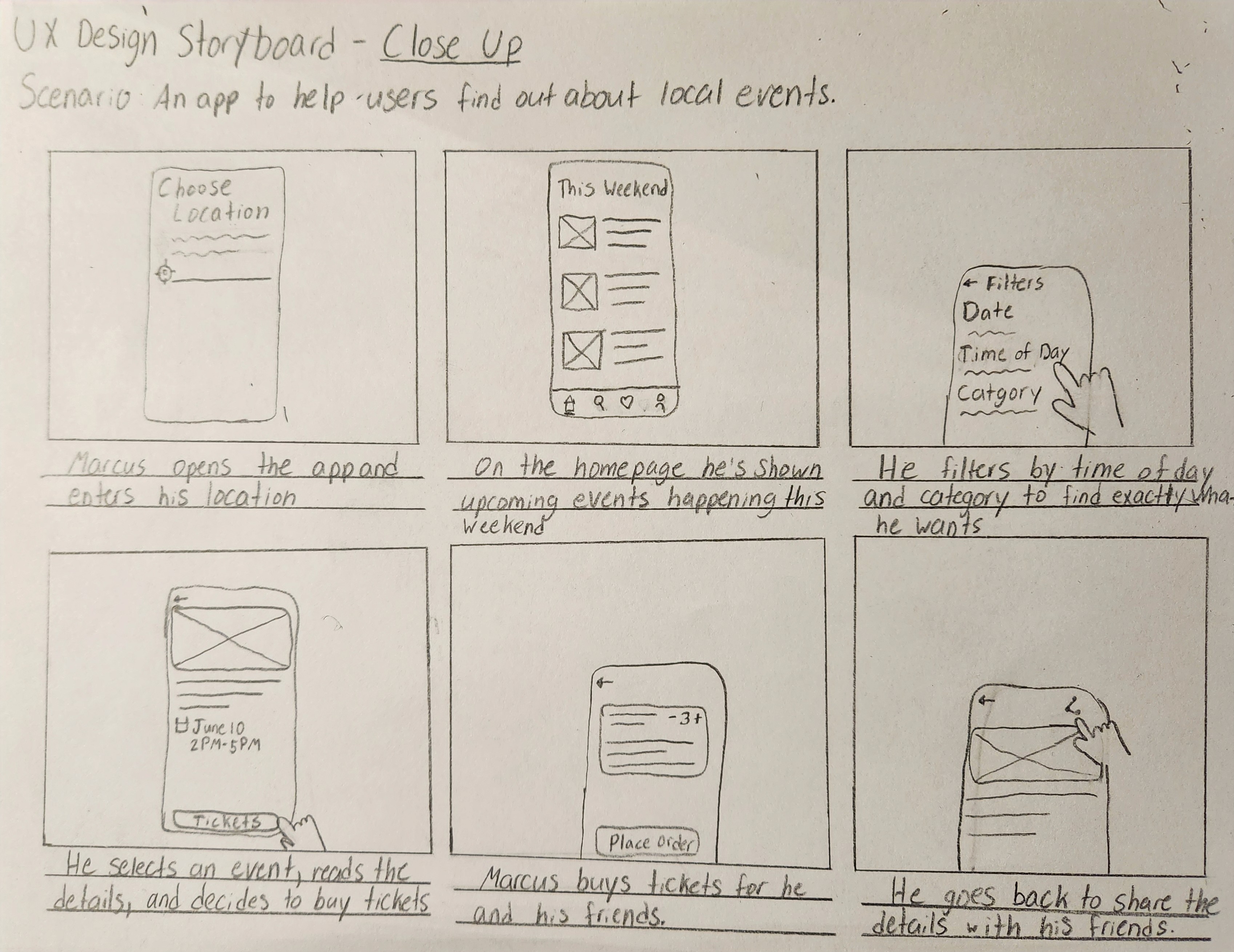
Close Up Storyboard
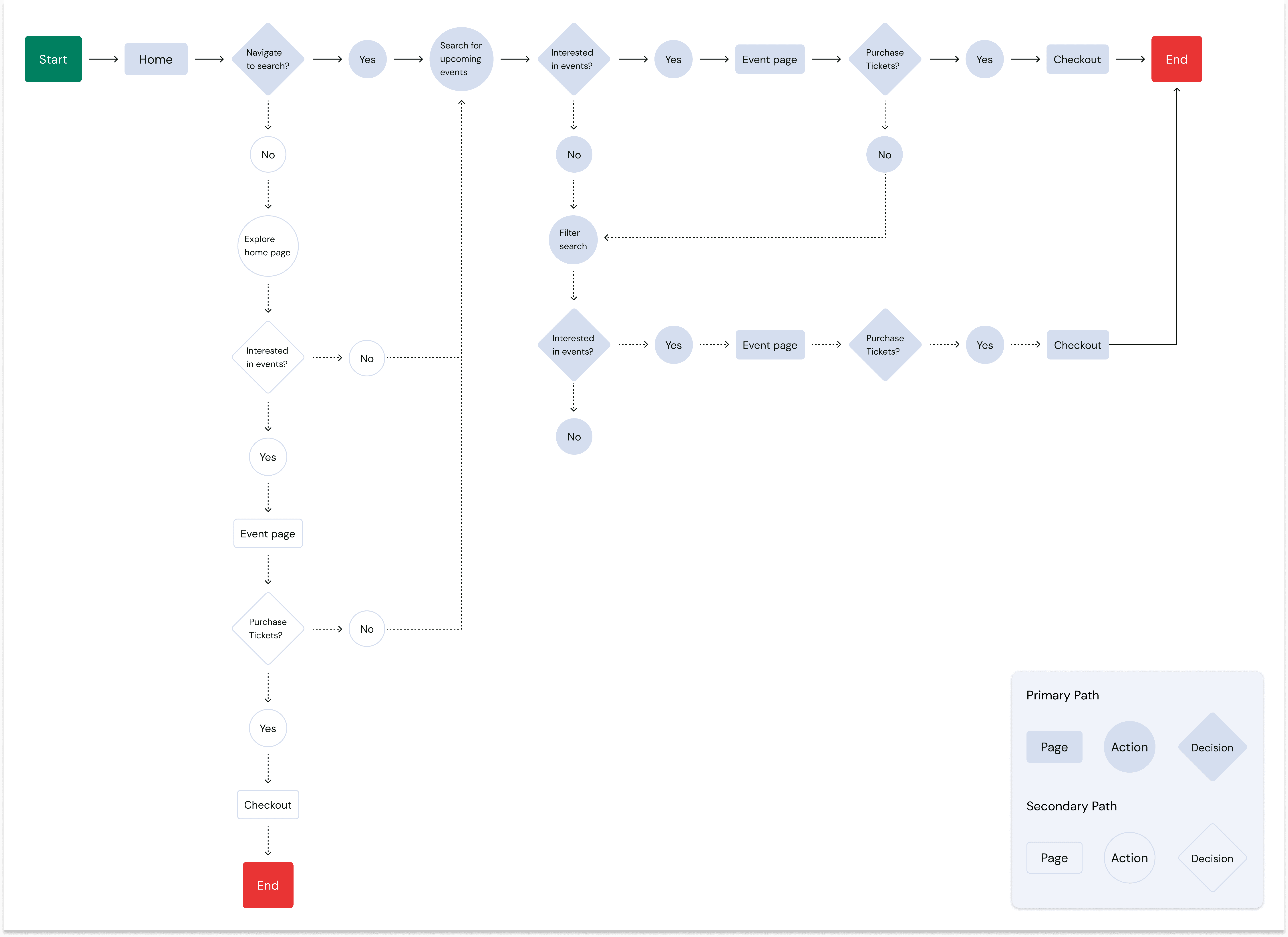
User Flow
With a better understanding of how my users would use this app, I created a user flow to consider what the most common and essential path would be for a user to achieve their goal.
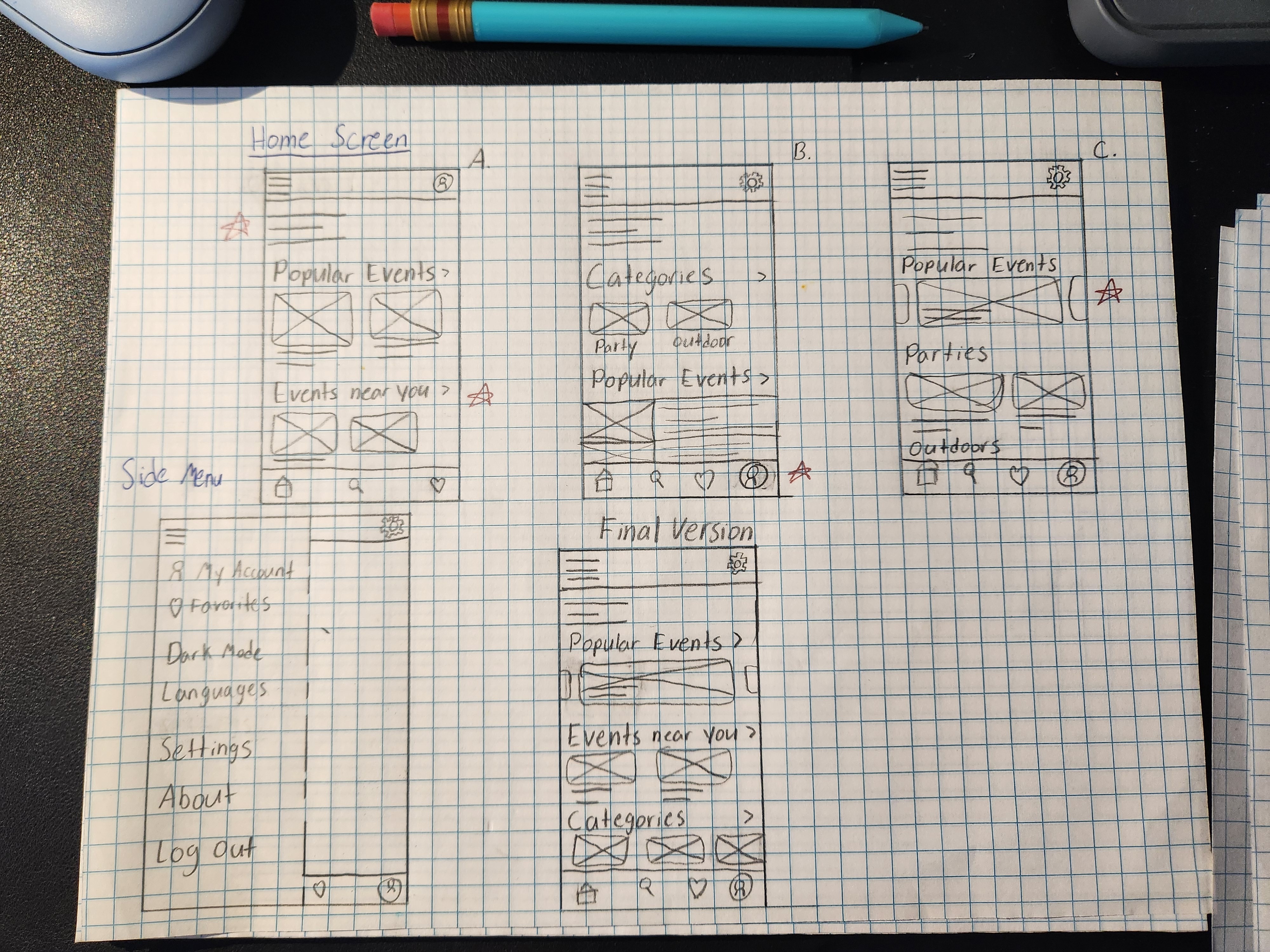
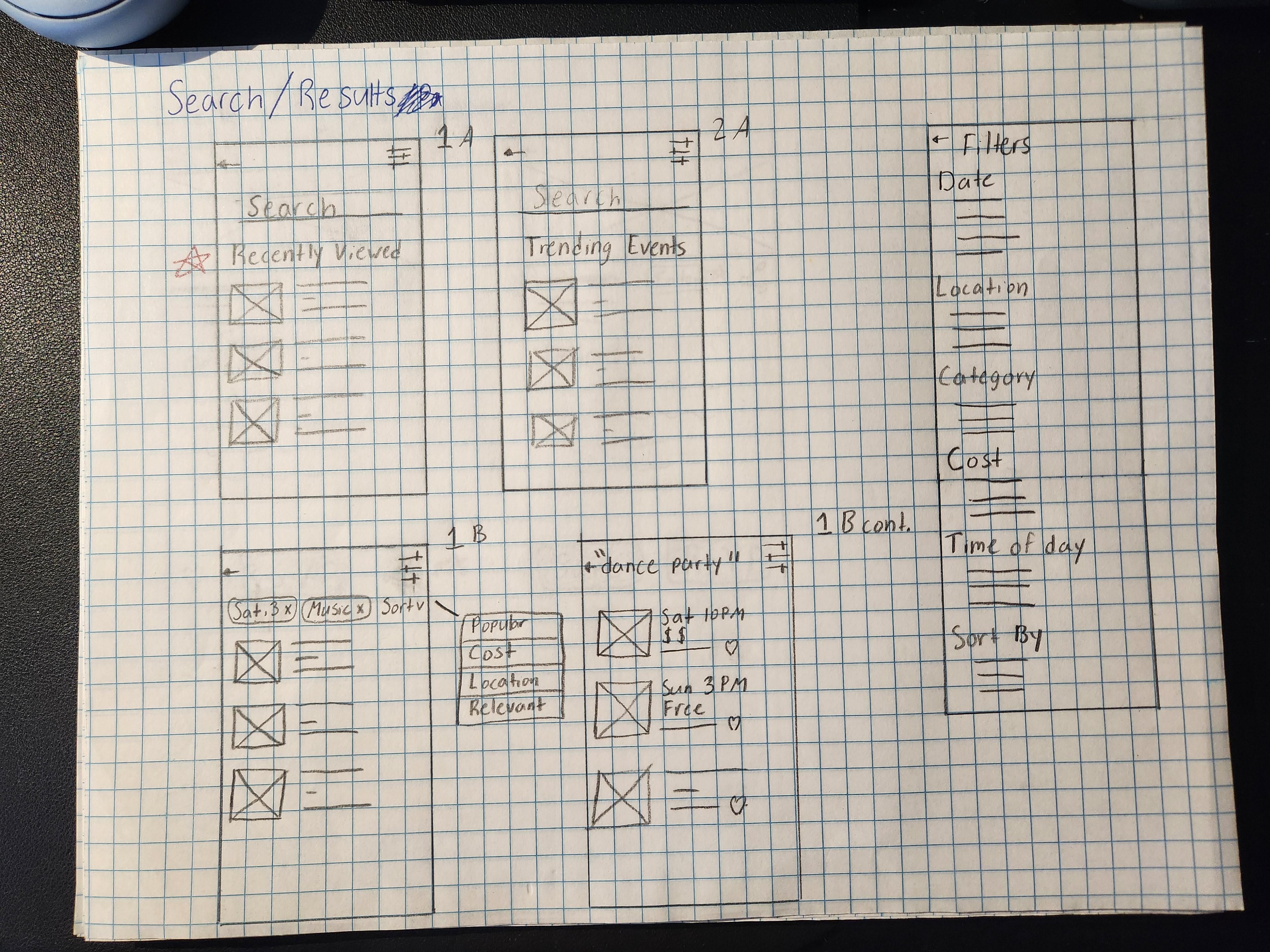
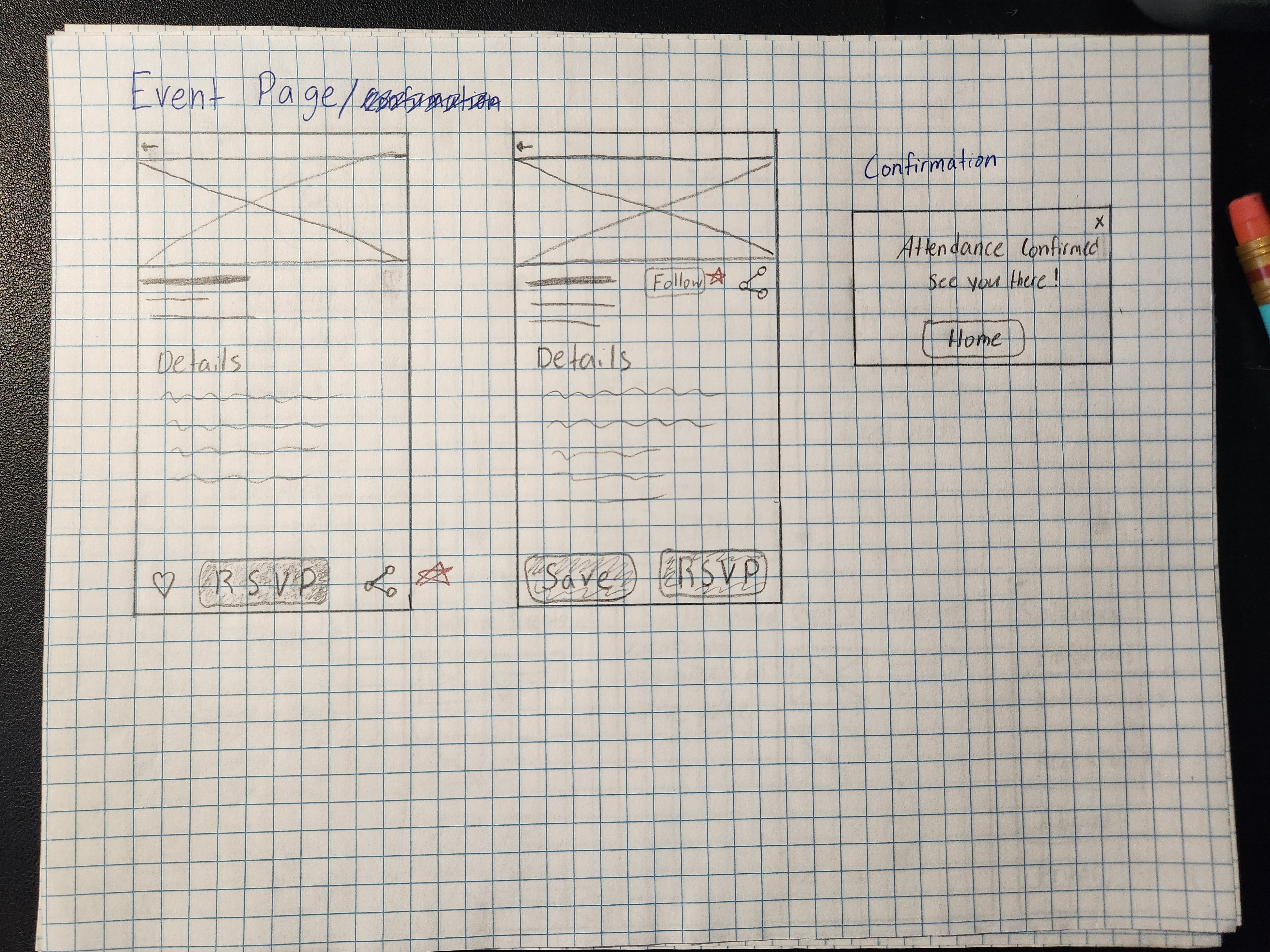
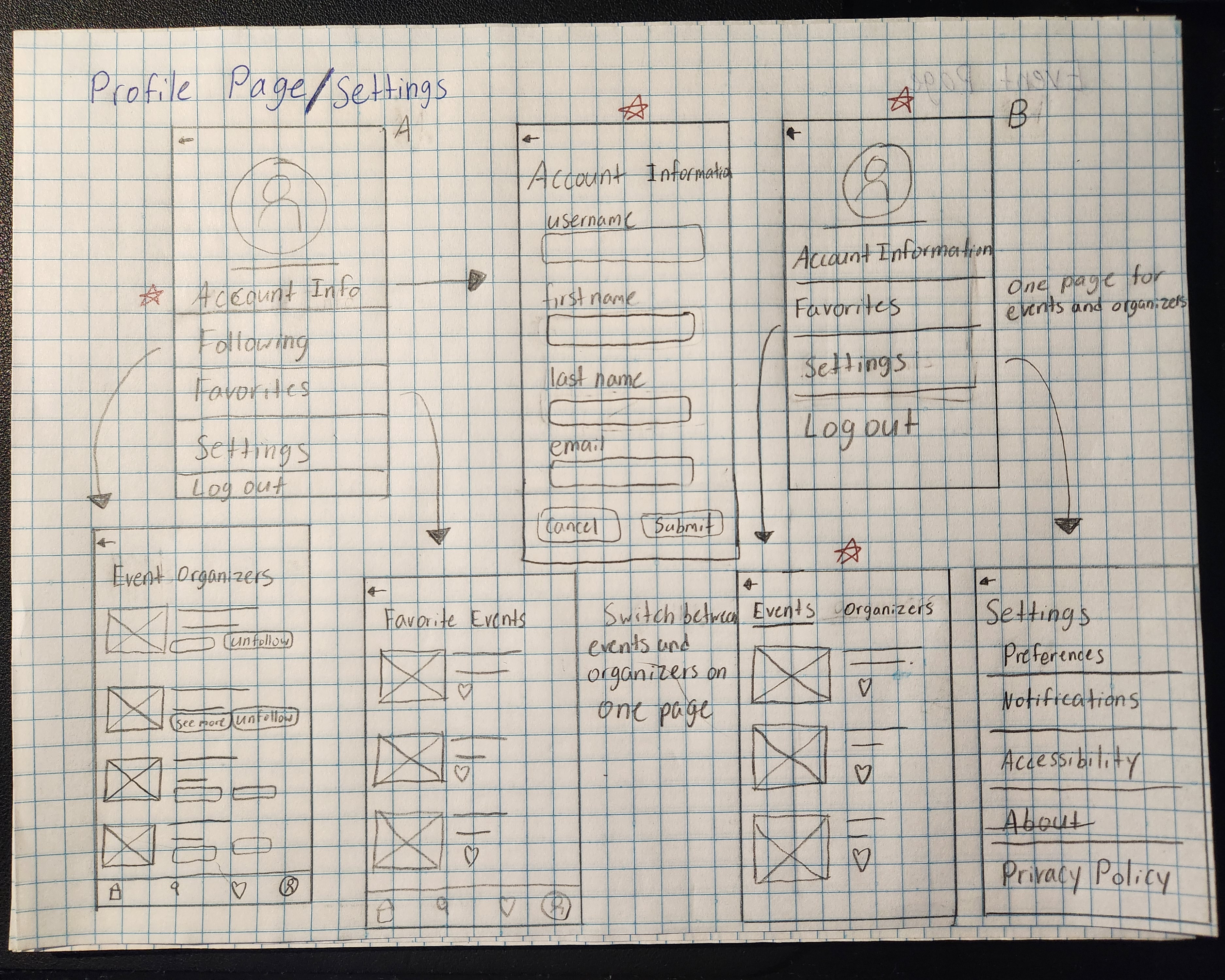
Sketches
Using what I learned from my research and ideating, I began drawing early concepts of what I thought the app should look like.
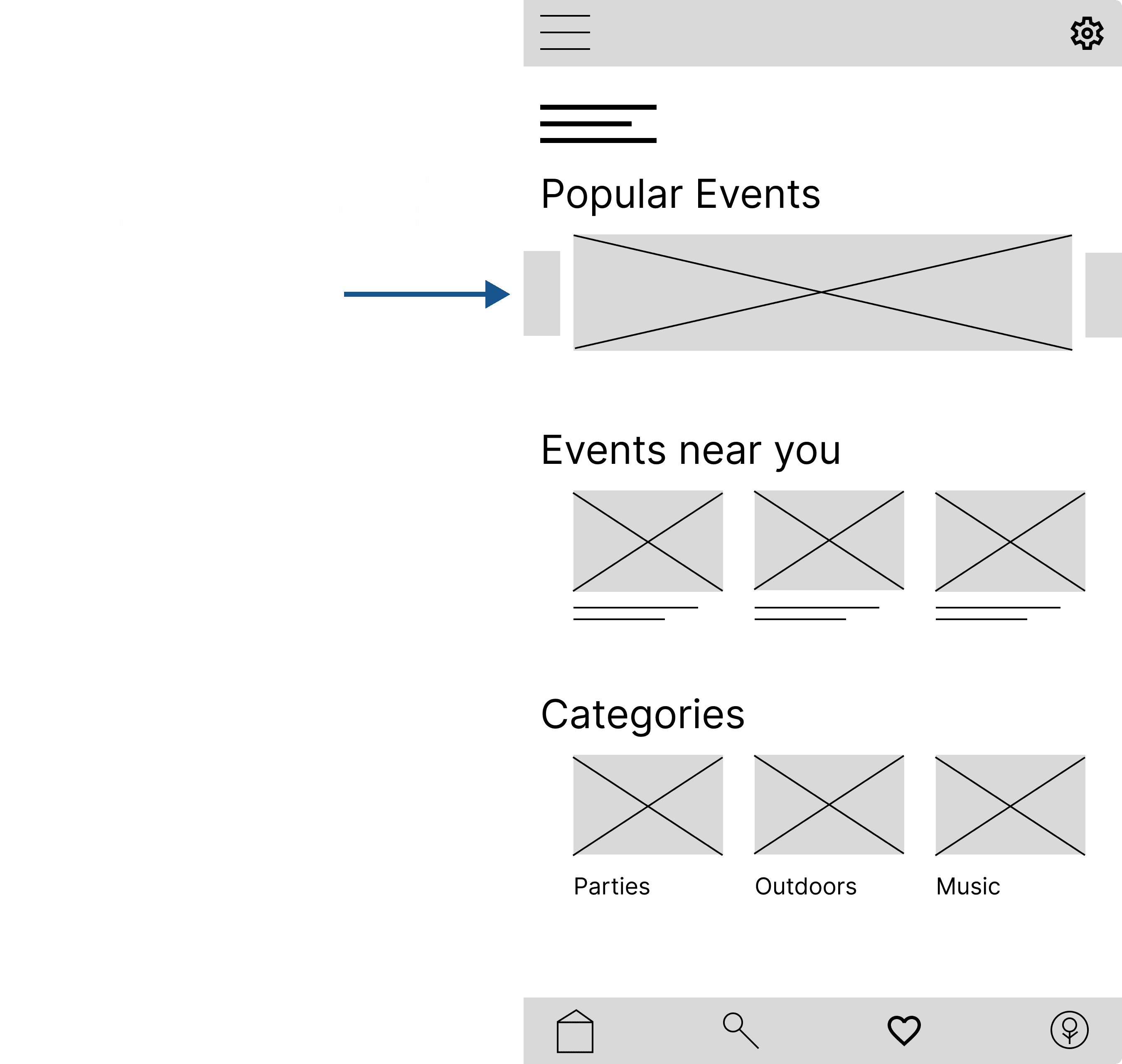
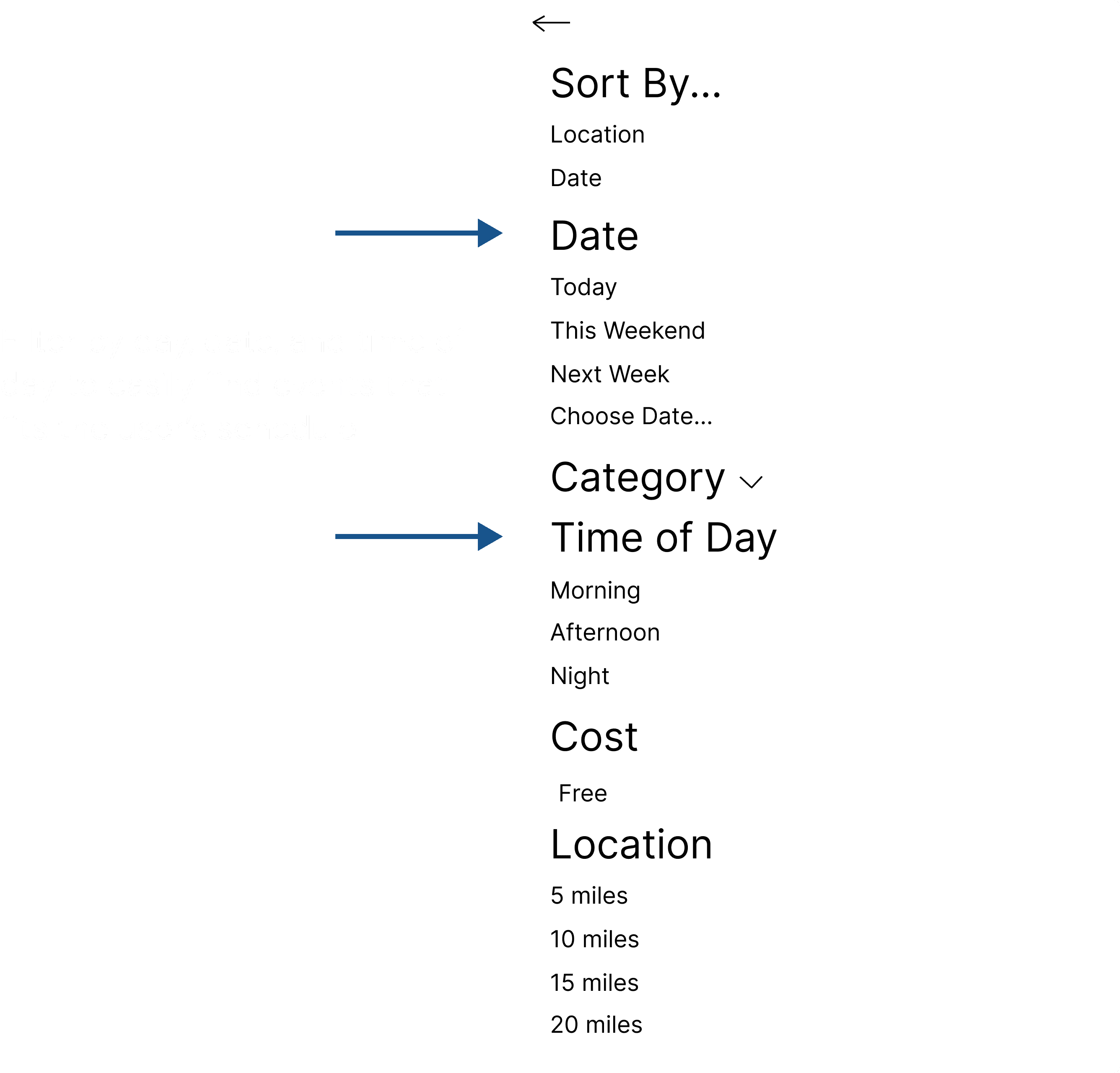
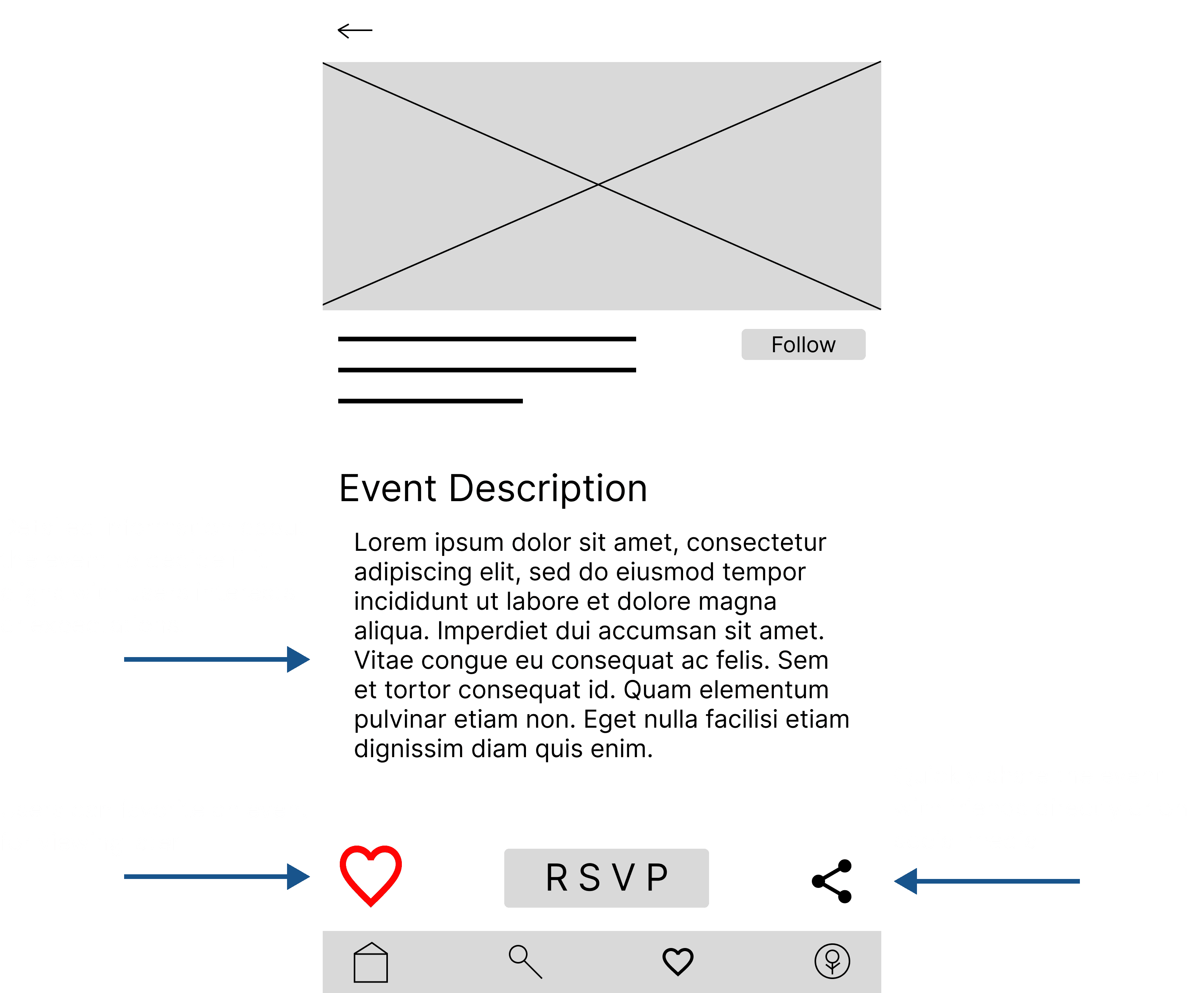
Digital Wireframes
Using what I learned from my research and ideating, I began drawing early concepts of what I thought the app should look like.
USABILITY TESTING ROUND 1
Findings
1
Function of RSVP button isn’t clear for users.
2
Users want to know how popular an event actually is.
3
Users want to be able to edit the location to see events in other areas.
VISUAL DESIGN
Design System
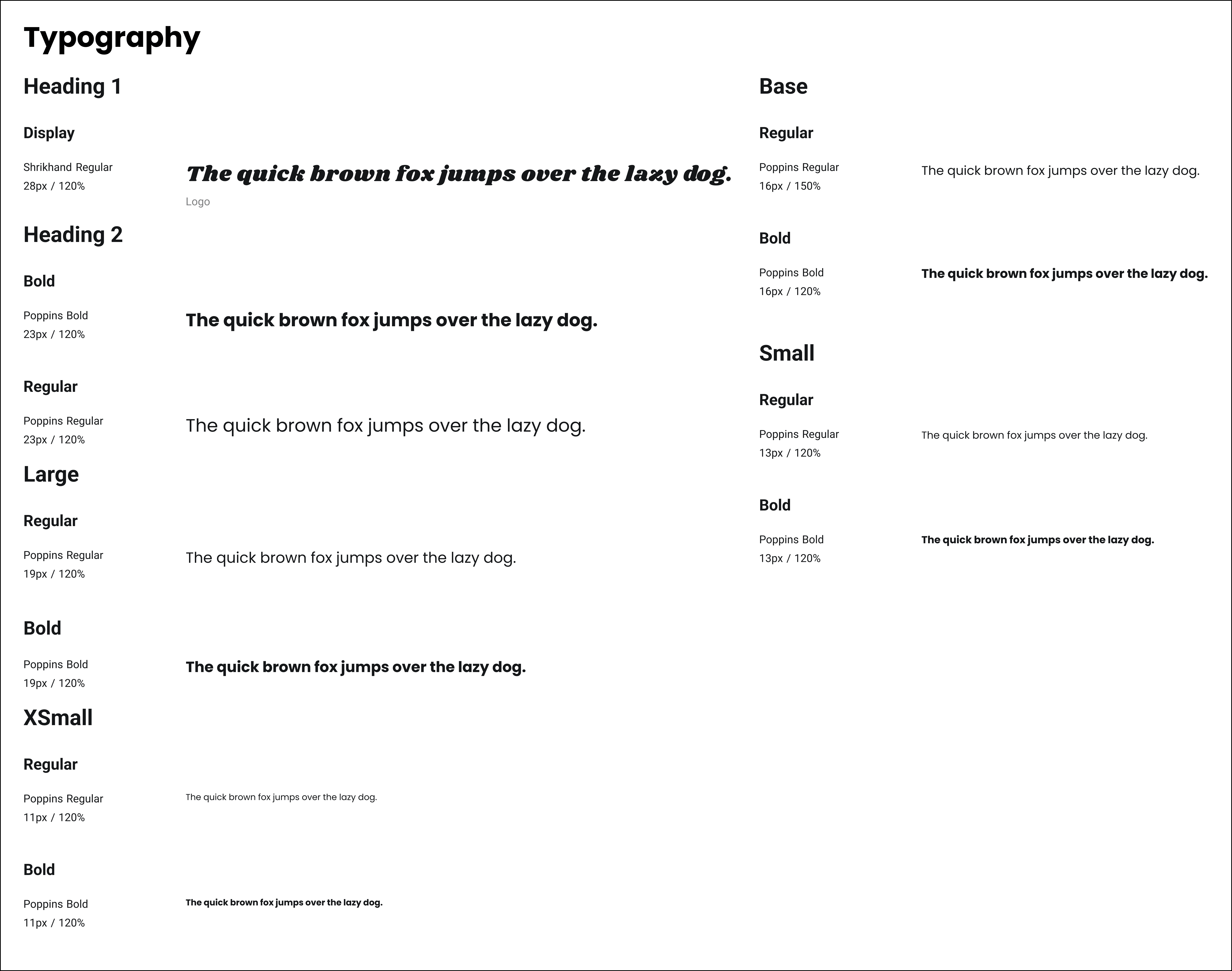
Typography
Color Palette
Branding
Primary 900
#395886
Primary 800
#638ECB
Primary 700
#8AAEE0
Primary 600
#D5DEEF
Primary 500
#F0F3FA
Neutrals
Secondary 900
#0C120C
Secondary 800
#676B74
Secondary 700
#BBBFCA
Secondary 650
#CEDADE
Secondary 600
#E7E9EF
Accents
Decorative, Icon
#E93434
Decorative, Success
#008060
White
#FFFFFF
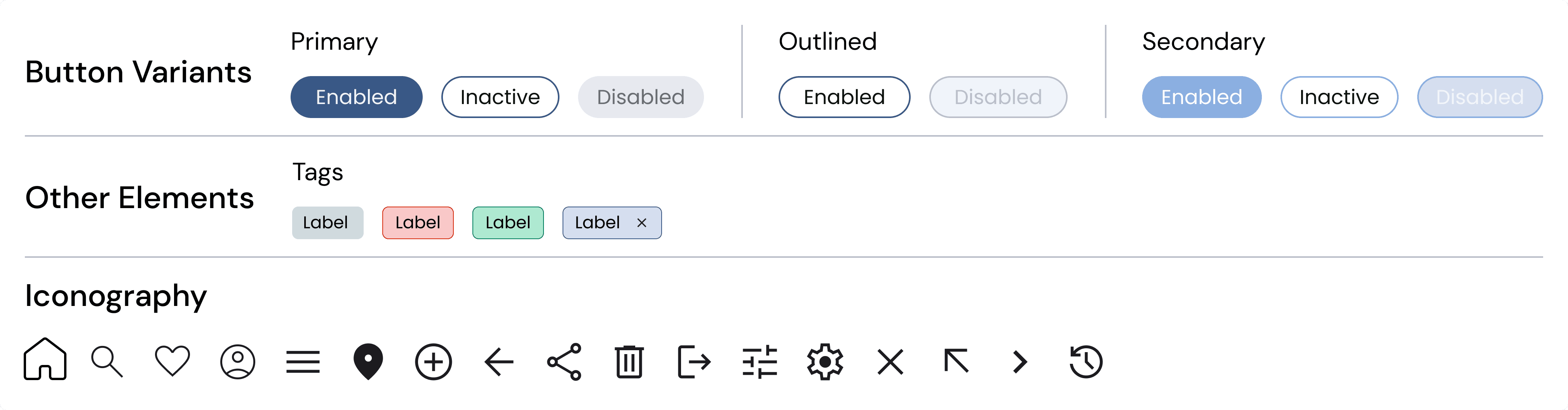
Elements
Accessibility Considerations
1
Users want to be able to edit the location to see events in other areas.
2
Users want to be able to edit the location to see events in other areas.
3
Users want to be able to edit the location to see events in other areas.
REFINING THE DESIGN
1
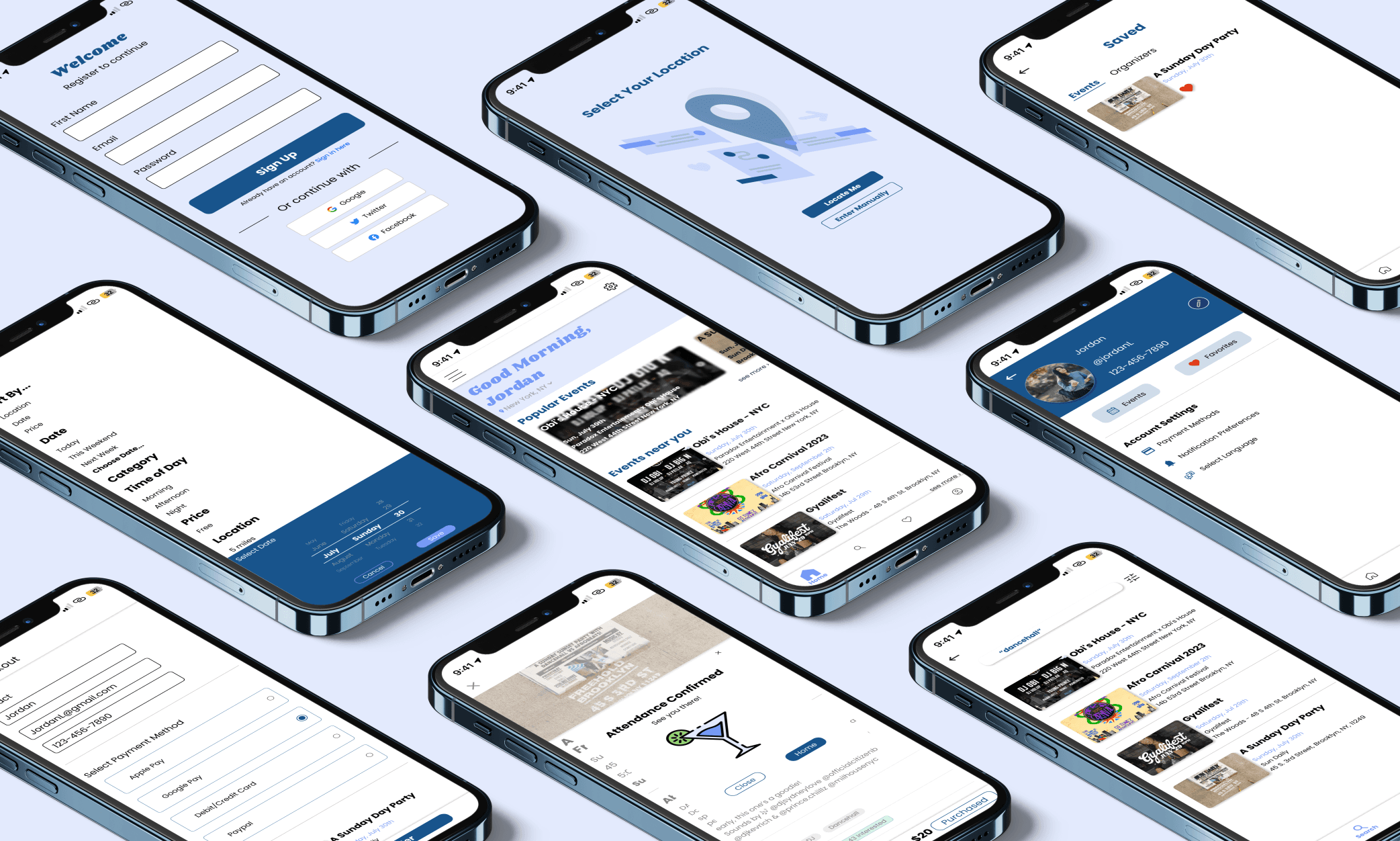
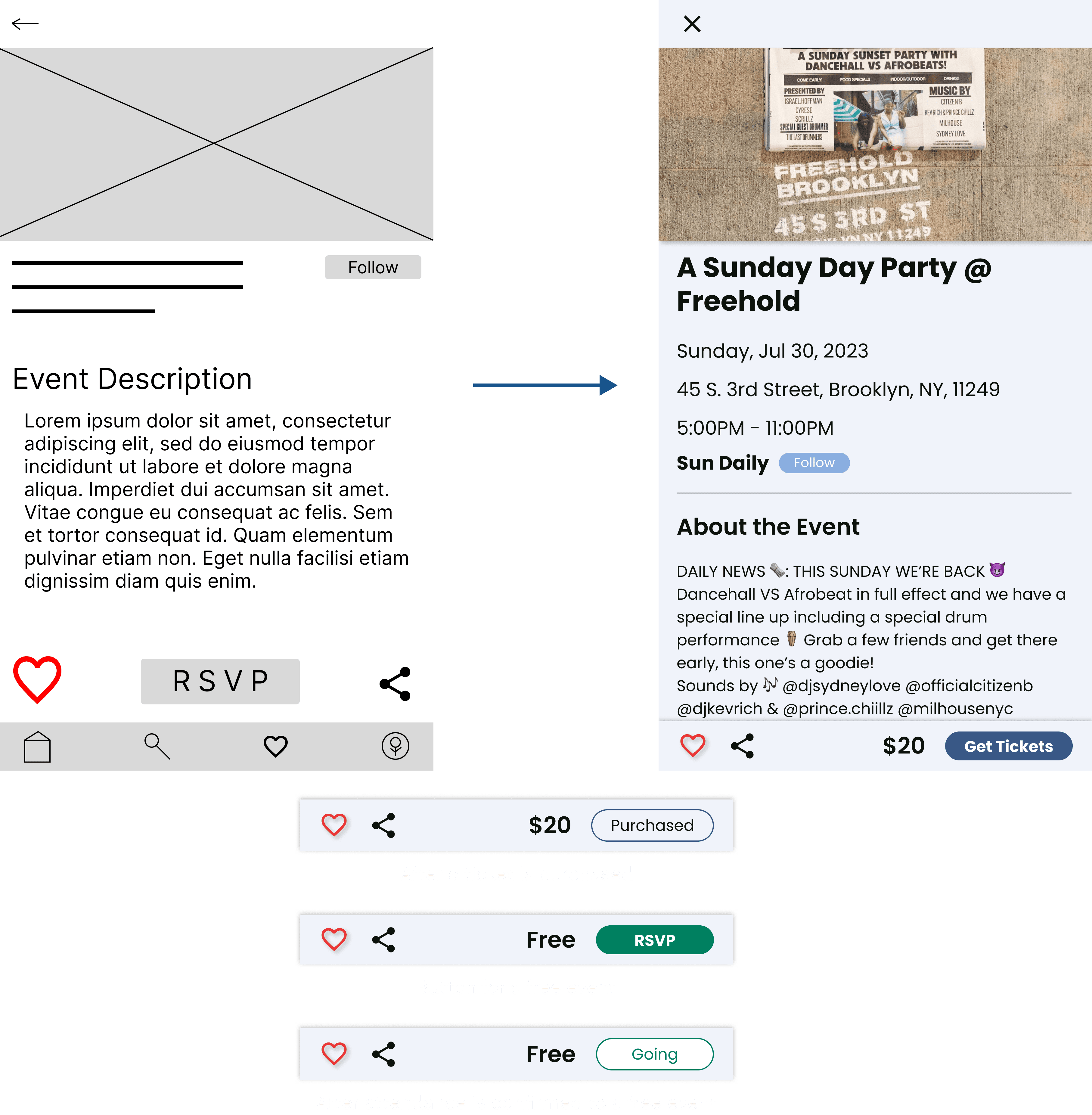
The first usability study revealed that some users felt that the RSVP button was unclear. The change I came up with allows users to easily differentiate between buying tickets or immediately confirming their attendance for events that are free.
2
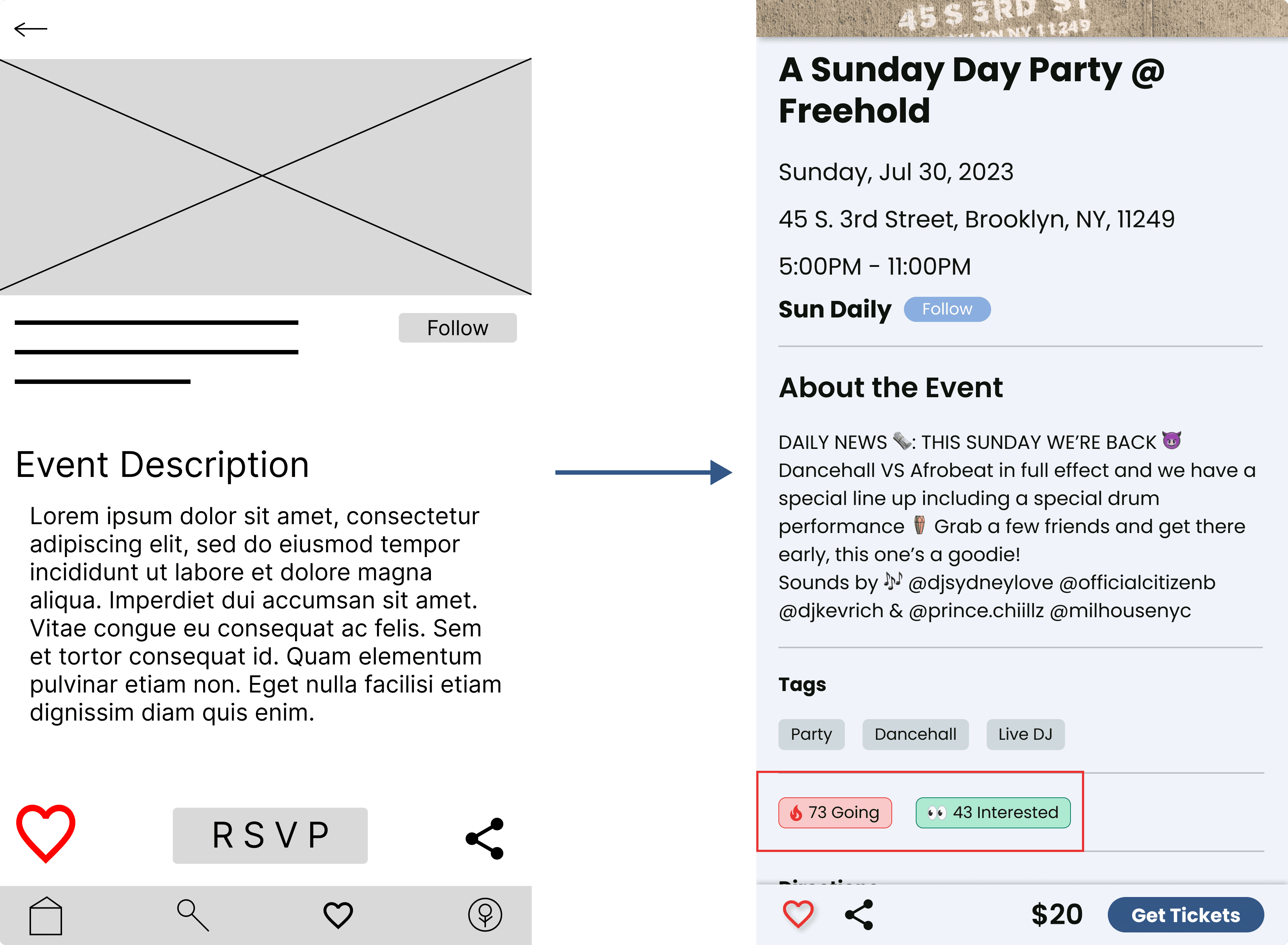
Another insight gained from this usability study was that some users are interested in the popularity of an event. To address this, I designed a feature on the event page that would show how many people have bought tickets or confirmed their attendance, and how many people have saved the event to their favorites. This way, users will have a better understanding of how popular an event is.
3
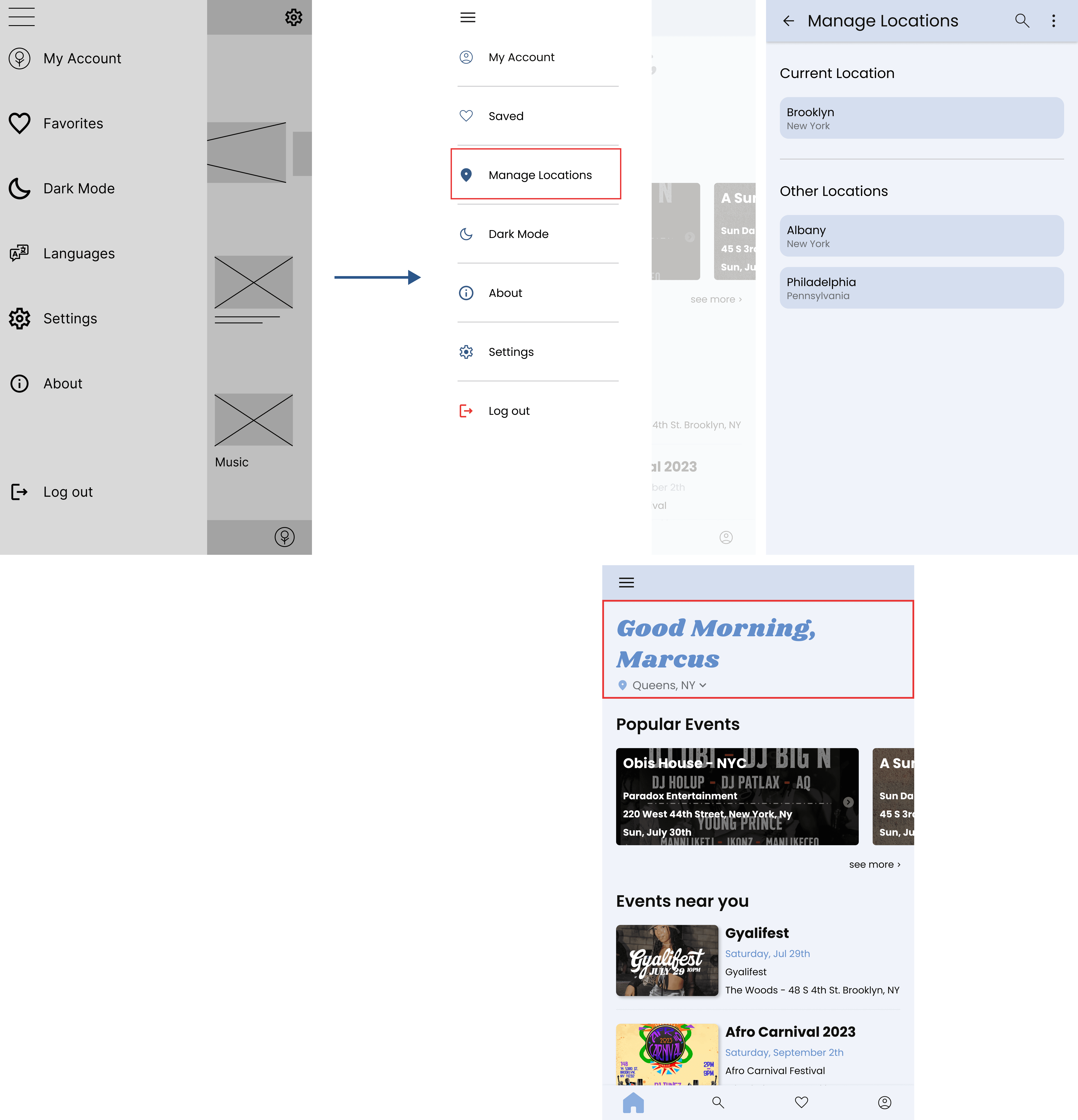
Some users stated they want the option to change their location to find events in other areas. For this issue, I added an option for users to change and manage their location as they see fit, as well as displaying their current location on the home screen
USABILITY TESTING ROUND 2
Findings
1
Users had trouble selecting a category (radio buttons were too small)
2
Users want to select multiple categories at a time
REFINING THE DESIGN - SECOND INTERATIONS
1
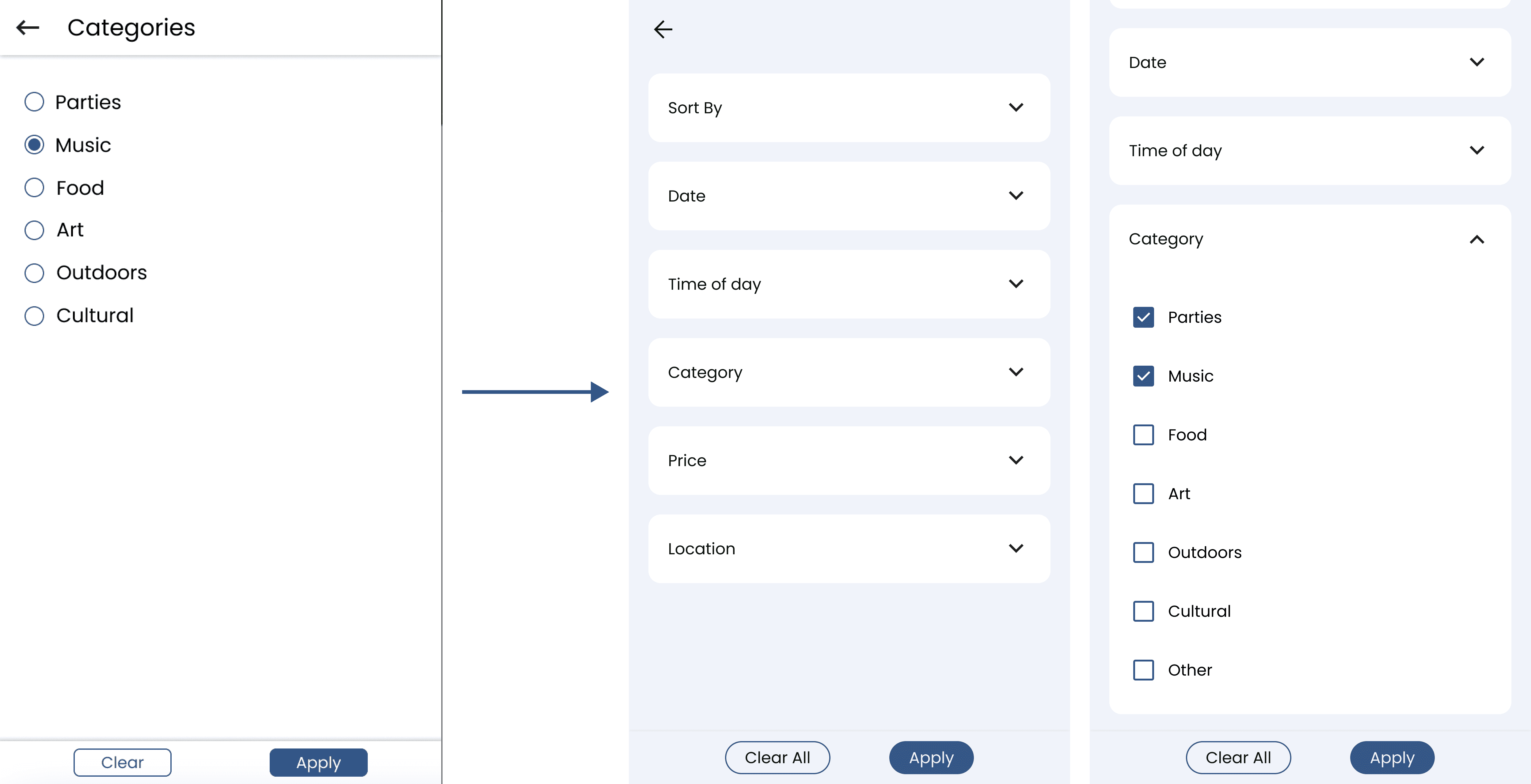
The second usability study showed a difficulty in selecting a category when filtering events. Furthermore, users wanted an option to select multiple categories at once to get results that fit in more than one category. To address these findings, I made the buttons for selecting a category larger, changed its function so more than one can be selected, and changed the shape to make it clear that multiple options can be selected.
FINAL DESIGNS
LESSONS LEARNED
Takeaways
Working on this project, I learned how important it is to get to know who you're designing for. This was my first time conducting user research and it showed me the importance of designing for the user. I think it can be easy as designers to think we know the solutions to users' problems and make decisions that we think will benefit them. However, gaining insight from user's and understanding how they actually feel will lead to better design decisions that we might not have even thought of.